What is Version Controlling?
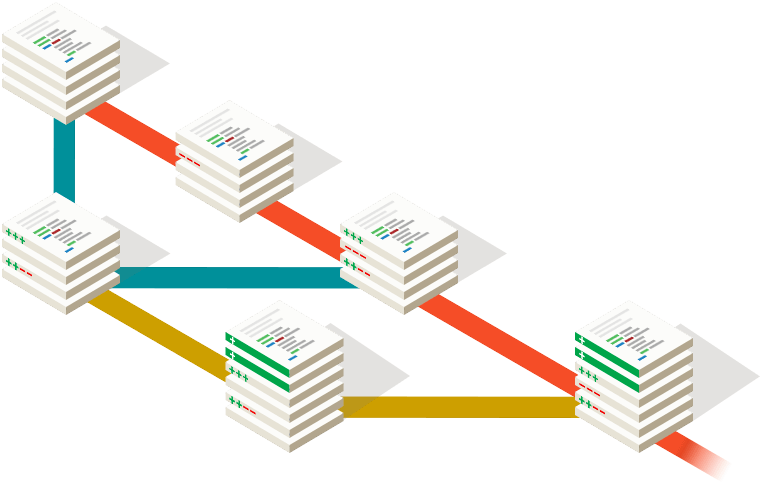
Version control , it is control changes of source code over the time. It is manage every version of your application. Using VCS you can go back to previous version as your wish.
For example think, Now your in version 5 of your application but according to some reason you want to go to the version 2. Is it possible? With VCS it is possible. VCS maintain every version of your application. So you can simply move to the previous version and Also earlier version from previous version.
Also help with VCS we can work on same project with many people.That’s mean every one can update the main code without any issues. Anyone can do changes, VCS manage every changes that they did.
How do we identify changes? well, Changes identified using a revision number. Every revision keeps a record of the changes of the time and the person who done the changes.

In Software development industry they work as a team. That means some number of developers work on the same project.So they continually write new codes and change the existing source code.The code for a project typically organized in a folder structure or “file tree”.
Can you imagine how to work as a team on a same project without version controlling…??
Benefits of having Version Control
Without Version controlling it’s very risky to work on same project. There is some benefits of VCS.
- Access control
- Enable collaboration
- Enhance team communication
- Reduce development errors and conflicts.
- Easier backups and centralized source code repository.
- It is Improves team productivity .
Version Control System
It is allows users to track the changes and help to get above mention benefits.
Examples for Version Control Systems :
- GitHub
- GitLab
- Beanstalk
- PerForce
- Apache Subversion
- AWS CodeCommit
- Microsoft Team Foundation Server
- Mercurial
- CVS Version Control (Concurrent Versions System)
- Bitbucket
GITHUB
GitHub is a web based service for version control using Git. Github is nothing but the hosting service where we store our git repositories. Basically, github is a social networking site for developers. You can look at other people’s code, identify issues with their code and even propose changes.

Basic Terminology
- Repository
- A Git repository , or a repo is a folder that you’ve told Git to help you track the file changes.
- Branch
- A branch is an independent line of development. We can also it’s consider as a brand new working directory.
- Fork
- It is copy of another repository that belongs to the another person.Now you able to develop that project without affecting original repository.
- Commit
- It is a set of changes to a file. Every time you save, it creates a unique ID which helps it keep track of history.
- Master
- The default development branch.Whenever You create git repo, a branch name master is created which becomes default active branch
Why GitHub
- Faster comparing to other systems
- Supports multiple protocols
- Distributed version control system
- Free and open source
 Geek for World